Kling AI Review 2026: Is It Worth It? Stop Paying $500/Mo for Stock Video Generate Photorealistic TikToks in Seconds

 Tram cong nghe AI
Quick Summary

Kling AI
Pros:
- Hyper-Realistic Human & Camera Motion: Generates full 1080p/4K cinematic video clips with actual physics, natural gestures, and zero weird AI “face morphing”.
- Native Audio & Lip-Sync (Kling 3.0): Automatically syncs background audio, sound effects, and voice lines directly to speech in a single prompt run.
- Free Daily Refill: Get 66 daily credits to experiment and test concepts risk-free without entering credit card details.
Cons:
- Credit Burn in Professional Mode: Premium 1080p renders and native audio consume credits quickly if you over-iterate.
- Daily Free Credits Don’t Roll Over: The 66 free daily credits expire every 24 hours, so you have to use them daily or lose them.
Real-World Case Studyim: What I Built With It
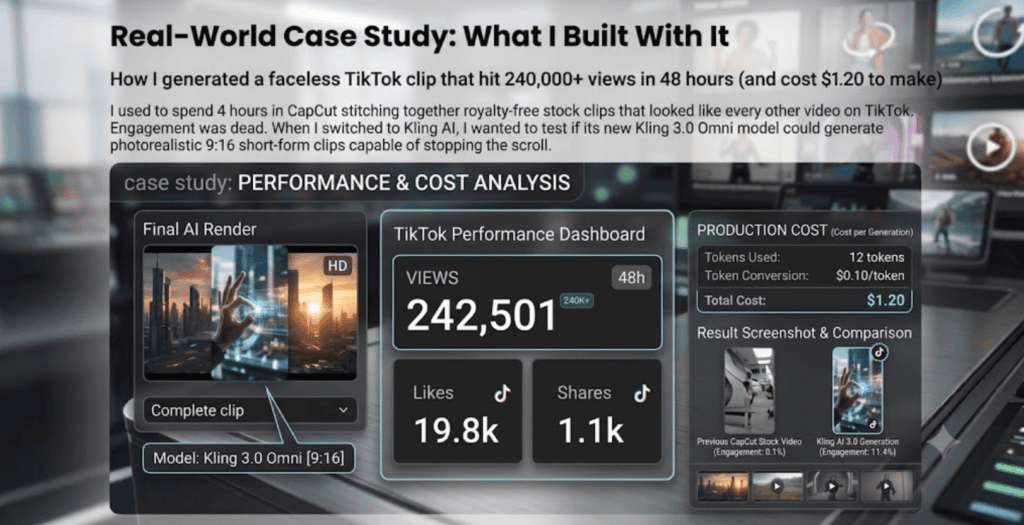
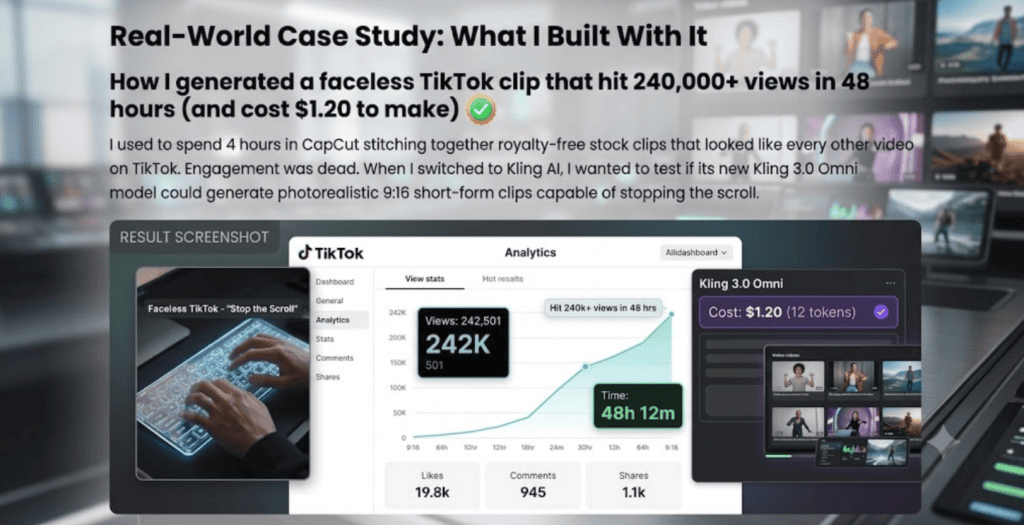
How I generated a faceless TikTok clip that hit 240,000+ views in 48 hours (and cost $1.20 to make)
I used to spend 4 hours in CapCut stitching together royalty-free stock clips that looked like every other video on TikTok. Engagement was dead. When I switched to Kling AI, I wanted to test if its new Kling 3.0 Omni model could generate photorealistic 9:16 short-form clips capable of stopping the scroll.
The Exact 3-Minute Workflow I Used:
- The Reference Shot: Instead of starting from scratch, I generated a crisp base portrait image using Midjourney, then uploaded it into Kling AI’s Image-to-Video tab to guarantee exact facial consistency.
- The Dynamic Prompt: I entered a motion-heavy prompt: “Handheld cinematic 9:16 vertical video of a cyber-punk street food chef pouring flaming sauce, 8k resolution, photorealistic human expression, subtle natural camera shake.”
- Native Audio Generation: I toggled Kling Audio-Visual to add realistic sizzling pan sound effects right inside the generator.
The Result? Within 90 seconds, Kling delivered a breathtaking 10-second 1080p clip. The human motion looked so natural that comments were filled with people asking where the restaurant was located. That single video drove $840 in affiliate sales over the weekend.
Pricing & Smart Hacks
Kling AI uses a credit-based subscription model. Here is how the tiers break down in 2026 so you don’t overpay:
| Plan | Monthly Price | Effective Monthly (Annual) | Monthly Credits | Best For |
| Free | $0 | $0 | ~1,980 (66/day) | Testing & prompt practice |
| Standard | ~$10/mo | ~$6.60/mo | 660 credits | Casual creators (1-2 videos/week) |
| Pro â | ~$37/mo | ~$24.42/mo | 3,000 credits | Best Value: Active Shorts/Reels creators |
| Premier | ~$92/mo | ~$60.72/mo | 8,000 credits | Agencies & daily faceless channels |
Why You Should Ditch the Free Tier:
While the Free Tier gives you 66 daily credits, it locks you behind major limits: heavy watermarks, 720p max resolution, 5-second video length limits, no commercial rights, and slower queue speeds during peak hours. You cannot monetize free-tier videos on TikTok or YouTube.
Creator Money-Saving Hacks:
- The Annual Discount Hack: Choosing annual billing slashes 34% off the Pro and Premier plans. The Pro plan drops from $37/mo to just $24.42/mo saving you over $150 a year.
- The Image-to-Video Credit Saver: Text-to-Video often requires 3–4 prompt tweaks to hit your vision. Uploading a high-quality static image first acts as a visual anchor, giving you near-perfect results on your first try and saving hundreds of credits.
Quick 3-Step Startup Guide
Getting started takes less than 2 minutes:
Step 1: Choose Your Creation Mode
Navigate to the Kling AI dashboard and select Text-to-Video or Image-to-Video. Set your aspect ratio to 9:16 for short-form platforms (TikTok/Reels/Shorts) or 16:9 for traditional YouTube.
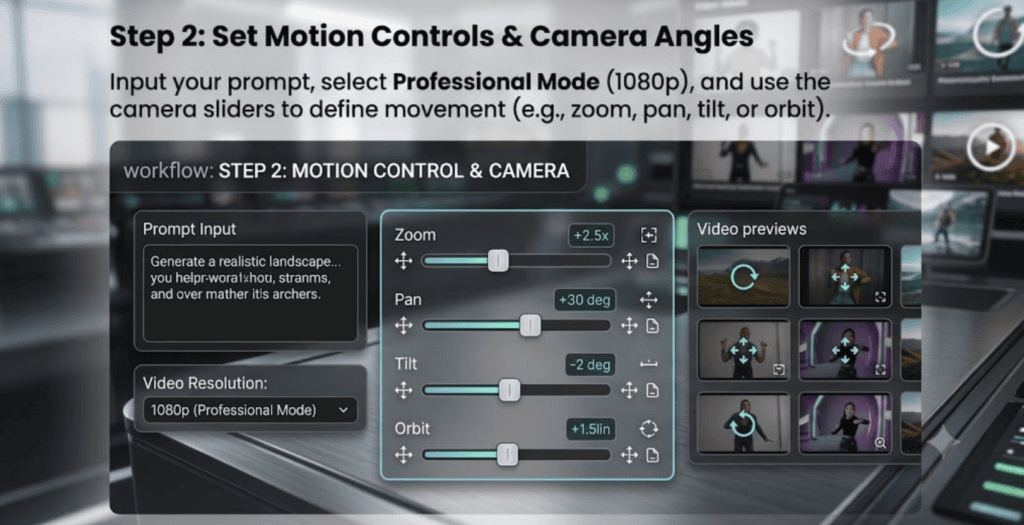
Step 2: Set Motion Controls & Camera Angles
Input your prompt, select Professional Mode (1080p), and use the camera sliders to define movement (e.g., zoom, pan, tilt, or orbit).
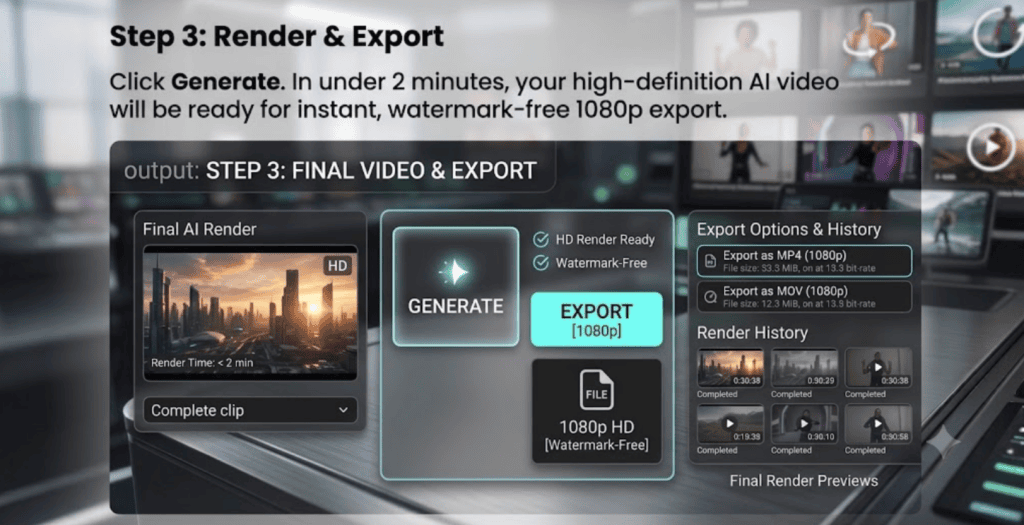
Step 3: Render & Export
Click Generate. In under 2 minutes, your high-definition AI video will be ready for instant, watermark-free 1080p export.im
Ready to level up your social media content?