Suno AI Review 2026: Is It Worth It? Create Viral TikTok Tracks & Trending Audio in 60 Seconds

 Tram cong nghe AI
Quick Summary
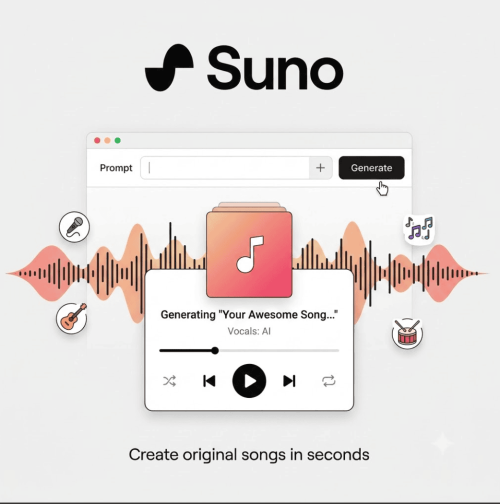
Suno AI
- Pros:
- Studio-Quality Audio in Seconds: Generates full 3-minute songs complete with vocals, instrumentals, and structured lyrics using simple text prompts.
- Full Commercial License on Paid Plans: Instantly monetize your tracks across TikTok, YouTube Shorts, Spotify, and client projects without copyright strikes.
- Built-In Stem Separation & DAW Editing: Easily isolate vocals or instrumental tracks to remix and customize audio for video edits.
- Cons:
- No Commercial Rights on Free Tier: Tracks created under the free daily plan cannot be monetized or used in commercial videos.
- Occasional Vocal Artifacts: Fast-paced or dense lyrical prompts can sometimes result in slightly metallic or muffled synthetic vocals.
Real-World Case Study – “What I Built With It“
How I Generated $1,400 in Affiliate Revenue with a 30-Second Country Rap Song on TikTok
As short-form content creators know, trending audio is the fastest way to hit the FYP (For You Page). However, constantly licensing copyrighted tracks or using overused audio leads to mute flags and lower engagement. Last month, I wanted to launch a viral short-form campaign selling a rugged car organizer, but standard voiceovers were getting ignored.
I popped into Suno AI, typed a prompt for a catchy country-rap anthem about “road trip clutter,” and generated a custom song in under 45 seconds. I overlaid the custom audio onto raw product footage and posted it as a TikTok Reel.
The Results:
- 185,000+ Views within 4 days.
- Over 4,200 Audio Uses by other TikTok creators using the custom sound.
- $1,400+ in Affiliate Commissions driven directly from the viral sound and linked bio product.
- 0 Copyright Claims because the Pro subscription granted complete commercial ownership.
Pricing & Smart Hacks
Suno AI keeps its pricing structure straightforward, making high-end music production accessible without needing expensive recording software or hiring studio producers.
- Basic (Free Plan) – “$0/month”:
- Includes 50 daily credits (approx. 10 short songs per day).
- Limitations: Shared generation queue, standard audio quality, and strictly no commercial rights. Perfect for testing prompts, but you cannot use these tracks in monetized YouTube Shorts, TikTok ads, or sponsored videos.
- Pro Plan – $8/month (Billed Annually at $96) or $10/month (Monthly):
- Best Value for Beginners & Creators! Gives you 2,500 credits per month (~500 songs), priority processing speed, stem separation, and full commercial ownership of all songs created while subscribed.
- Premier Plan – $24/month (Billed Annually) or $30/month (Monthly):
- Designed for power users and audio agencies, providing 10,000 credits per month (~2,000 songs) and advanced DAW features.
Smart Cost-Saving Hack: Upgrade to the Annual Pro Plan to lock in a 20% discount ($8/mo vs $10/mo). Use the free tier to refine your prompt structure and text lyrics first. Once you hit a prompt structure that sounds like a hit, switch to the Pro plan to render the final audio so you own the commercial rights royalty-free!
Quick 3-Step Startup Guide
Step 1: Craft Your Style & Lyric Prompt
Log in to Suno AI and navigate to the Create tab. Toggle on Custom Mode to enter your own lyrics or let the AI write lyrics for you based on a simple theme. Choose your music style (e.g., “Upbeat 120 BPM Synthwave with energetic female vocals”).
Step 2: Generate & Iterate Audio
Click Create. Suno AI will generate two full variations of your song in under 30 seconds. Listen to both, adjust lyrics or style tags if needed, or use the Extend feature to lengthen your favorite clip into a full-length track.
Step 3: Export Audio or Stems for Your Videos
Once you are happy with the audio, click Download. You can export full high-quality MP3/WAV files or separate the vocals and instrumental stems to mix directly into CapCut, Premiere Pro, or TikTok.